Ads

__________________________________________________________
Free Registered Softwares / Games and Technology 2011 - 2013. All Rights Reserved . Theme images by Storman. Powered by Blogger.

Services

__________________________________________________________

Featured
Featured
Zeeshan Shahbaz
256x125 Ads1

Translate

Recent Post

Follow

__________________________________________________________

Lables

Video of The Day

Videos

Friday, December 30, 2016

How To Fast Slow Computer In Startup

- No comments
How To Fast Slow Computer In Startup 

That of the slow computer is a classic problem, which depends substantially from a single hardware weakness factor: the low RAM. As already explained, the RAM is the most important part of the computer because it is its fast memory, the one that loads instantly the data stored in its space. On a computer with limited RAM, or where heavy programs are run, when the available RAM memory becomes full, the processor is forced to use the hard drive in its place, which conversely is the slowest part of the computer.


1) Uninstall all the programs you do not use, even those not installed by us (but that had been found already installed at the time of purchase), and those that start up automatically , of any kind they are.

2) Check the programs set to start automatically.

3) Delete temporary and unneeded files.

4) Reduce the visual effects.

5) Remove any antivirus and use Windows Defender.

– Do not change the BIOS settings for groped hardware overclocking, unless you know what you’re doing.
 – If the disk is almost full, the computer may become very slow
– if your PC is infected with malware, this may be the cause of slow computer.


Monday, December 26, 2016

Lose weight eating: 3 perfect foods to lose weight easily

- No comments
Lose weight eating: 3 perfect foods to lose weight easily

8 perfect foods to lose weight easily: Lose weight without dieting plans of the tricks that is not unique to the food, but also good behaviors such as sports or good sleep. Here we focus on what to eat to lose weight without diet or strict diets. They are the property of rich foods that aid digestion , contains a lot of fiber, and this often enough to recover the flat stomach and lose weight healthily. Discover them all and try to consume more during your meals, and surely you will see the results!

1.Lemons


The lemon is the food burns fat for excellence. It is rich in beneficial properties , it is a great detoxifying, ideal for detox for example, but without taking into account any diet, the lemon helps to drain and combat cellulite , stimulates digestion by burning excess fat, and is rich in vitamin C . If you are looking for an effective diet to lose weight quickly, however, try to take into account the lemon diet . Or, without any short-term diet and great results, introduce your lemon in your drinks cool , even plain water, and the results will not wait!

2. Asparagus


To lose weight by eating the secret is to take nutritious foods but with a low calorie intake . The poor-sugar foods and carbohydrates are the ideal solution, and thus should increase the amount of fruits and vegetables , and decrease those of starchy foods such as pasta and bread. The asparagus , for example, have only 20 calories per 100 grams of product. They are delicious in many recipes, and above all are rich diuretics that help eliminate toxins and drain excess liquid.

3. Tomatoes


The tomatoes are rich in properties, salts and vitamins. Fortunately they are very present in the Italian kitchen, because both tomatoes uncooked who cooked will do well from the line without feeling no diet. First of all, they are among the foods that speed up metabolism , helping the body to work even better in the digestive phase and cell regeneration. Then, the tomato is an excellent antioxidant that combats cell aging and the accumulation of toxins. It eliminates puffiness and is perfect for slimming without diets.


Zeeshan Shahbaz

How to permanently delete your Facebook account

How to permanently delete your Facebook account


How to deactivate your account
 Deactivating your account temporarily means you have the option to return to Facebook whenever you want. Click the downward arrow at the top right of any Facebook page 
Select "Settings" 
Click "Security" in the left column 
Choose "Deactivate your account", 
then follow the steps to confirm If you deactivate your account your profile won’t be visible to other people on Facebook and people won’t be able to search for you, but some information, such as messages you sent to friends, may still be visible to others.


How to permanently delete your account 

If you don't think you'll use Facebook again, you can request to have your account permanently deleted. However, after an account has been deleted it won't be possible to reactivate your account or retrieve anything you've shared on your profile. Before you do this, you may want to download a copy of your information from Facebook: 
Click the downward arrow at the top right of any Facebook page 
Select "Settings" Click on the link at the bottom of the main menu that says “
Download a copy of your Facebook data”.


Zeeshan Shahbaz

Friday, December 23, 2016

Emojis everywhere

- No comments

You can see it on Twitter, Facebook, Tumblr and even in blog comment sections. Sometimes, a dramatic and hilarious animated reaction GIF image just gets your point across so much better than typing it out -- especially when it comes to expressing an emotion.


Sunday, August 18, 2013

CCleaner 4.04.4197

- 1 comment
Download CCleaner 4.04.4197
Piriform - 4.22MB (Freeware)


CCleaner is a freeware system optimizations, privacy and cleaning tool for personal computer. It removes unused and spam files from your system. This registered CCleaner software allowing Windows to run faster and freeing up valuable hard disk space. It also cleans traces of your online activities such as your Internet history. Additionally it contains extra features with fully featured registry cleaner. But the best part is that it's fast (normally taking less than a second to run) and contains NO Spyware or Adware! :)

Cleans the following:

Internet Explorer
Mozilla Firefox
Google Chrome
Opera Mini
Safari Browser
Windows - Recycle Bin, Recent Documents, Temporary files and Log files.
Registry cleaner
Third-party applications
100% Spyware FREE


                         DOWNLOAD

Sunday, May 19, 2013

Finding Serial Key Of Any Software Using Simple Google Trick

- No comments
Finding Serial Key Of Any Software Using Simple Google Trick


Most of you download and use pirated software from torrents or any such other sites, but sometime it gets very difficult to find serial key of those softwares. I will make it easy for you by showing you simple yet very intersting google trick which will allow you to find serial key of any software very easily.

How To Find Serial Key Of Any Software ?


The key 94FBR is a part of  Office 2000 Pro CD activation key that is widely distributed as it bypasses the activation requirements of Office 2000 Pro. By searching for 94fbr and the product name, you are guarantee that the pages that are returned are pages dealing specifically with the product you're wanting a serial for. Follow simple steps given below to learn this trick.

 1. Go to Google
    2. Then type  Software Name 94FBR
Replace Software Name with the name of software whose serial key you want to find
Eg: To find serial key of Nero i will type Nero 94fbr


 3. Now press Enter and you will find serial key of software you are looking for as shown below.


Sunday, April 14, 2013

iPhone Backup Extractor 4.0.9.0 | 4.7 MB

- 1 comment


iPhone Backup Extractor 4.0.9.0 | 4.7 MB


If you??™re an iPhone owner you most likely use iTunes to create backups, although we all agree that this particular software solution doesn??™t have all the features we need. That??™s why iPhone Backup Extractor might come in very handy to many iPhone owners out there, providing very effective tools to extract files from a previously-created backup. What??™s more, the program is very easy to use, offering an intuitive interface that perfectly brings the main features of the app in the spotlight. 
iPhone Backup Extractor automatically detects the backups stored on your computer by checking the default location used by iTunes, but in case you have moved them into another folder, there??™s a dedicated option to input the path. 
And because it??™s all about extracting data, iPhone Backup Extractor lets you extract contacts, calendar entries, SMS messages, notes, call history, location data, photos, videos, recordings and voicemail. Additionally, the program uses multiple formats for the extracted content, such as VCards, CSV, iCal, HTML or KML. 
It??™s all very easy to use and iPhone Backup Extractor works just fine on all Windows versions out there, obviously without slowing down the system at all. It doesn??™t need administrator privileges on Windows 7, but instead it needs iTunes to be installed on your computer for the creation of backups. 
All in all, iPhone Backup Extractor is a handy tool if you are using an iPhone, making everything a breeze regardless if you??™re a beginner or not. Just in case, a help manual is also available online, so you can check the help section if you need assistance on one of the built-in features. 
Here are some key features of "iPhone Backup Extractor": 
?· Simple wizard interface guides you through restoration in five easy steps 
?· No installer - just a tiny download and a single file to run 
?· Restoration is very fast 
?· It automatically finds your iTunes backups - no need to search for hidden folders 
OS : Windows XP, Vista or Windows 7 computer, in 32 or 64-bit mode .

CyberLink PowerDVD ULTRA 13.0.2720.57

- No comments

CyberLink PowerDVD ULTRA 13.0.2720.57


What is new in PowerDVD 13 
Take video beyond HD 
CyberLink TrueTheater® enhancement now delivers advanced edge enhancement, color and lighting enhancement technologies to take Blu-ray and HD digital movies beyond Full HD quality. 
* Movies look even better on Full HD displays and higher resolution WQHD (2560x1440) panels. 
* New HD video enhancement features work with MKV, MP4 and other popular HD movie formats. 
Stunning Quality Subtitles 
An all new subtitling engine offers sparkling quality and unprecedented flexibility. 
* Edit subtitle size, color, border color and position. 
* Display primary and secondary subtitles simultaneously for Blu-ray disc, DVD discs, and MKV / MP4 movies. 
* View PGS subtitles in MKV movie files. 
* Specify character encoding schema for non-Unicode subtitle files. 
* Display subtitles outside of picture in screen letterbox region. 
* Load subtitles by drag and drop. Adjust subtitle timing to sync with video. 
Fast, Fast, Fast 
New architecture and application optimization deliver fastest, most responsive PowerDVD ever. 
- Enjoy fastest-ever launch of Blu-ray and DVD movies. 
* Option to bypass BD-Live for even faster Blu-ray movie launch - up to 58% faster! 
* Instant playback for music, video and photos .


Saturday, March 30, 2013

Teamviewer Server Enterprise v8.0.17396 - Final + Patch-RiF

- 1 comment
               
Teamviewer Server Enterprise v8.0.17396 - Final + Patch-RiF


TeamViewer - the All-In-One Software for Remote Support and Online Meetings 

Remote control any computer or Mac over the internet within seconds or use TeamViewer for online meetings. Find out why more than 100 million users trust TeamViewer! 

Version 8.0.17396 
• Fixed a problem where users can’t confirm UAC-Dialogs in QuickSupport 
• Other minor improvements and fixes 


Version 8.0.17292 
• The comment window doesn’t open a browser window anymore 
• Groups shared with a contact can be listed from the contact’s context menu 
• The Management Console can be opened directly from the menu 
• Additional placeholders (e.g. meeting start time or custom phone conference data) can be used within the custom meeting invitation 
• Postscript printers can be used with remote printing 
• The Outlook Add In now supports Microsoft Outlook 64-bit edition 
• Custom QuickSupport now supports even longer disclaimers 
• Other minor improvements and fixes 


Version 8.0.16642 
• Fixed synchronization issues between TeamViewer Manager and Computers & Contacts 
• Fixed LAN connections from version 8 to version 6 and lower 
• Other minor improvements and fixes 

New features: 

Session handover from one expert to another 
Invite a colleague to an active remote control session to resolve a support case together. If necessary, you can hand over the session completely. 
Comment on sessions for billing documentation 
Enter your comments immediately after closing the remote control session. In your TeamViewer Management Console you will find all the information clearly documented, e.g. for billing. Platform-comprehensive for Windows, Mac, Linux, iOS, or Android. 
Share selected groups with other TeamViewer accounts 
Do you provide service to your clients together with colleagues? Now it is easy to share individual groups on your computers & contacts list with the team, so that your colleagues have quick access on shared client computers. Read or write permissions can be set individually. 
Easy remote printing in your home office 
Simply print out documents from remote computers on the printer next to you, e.g. while connecting to your office from home, without having to transfer files. You will always have all the important documents for a meeting or a client visit on hand, even if you have forgotten them at the office. 
Schedule online meetings easily in Microsoft Outlook 
Now you can plan your online meetings directly in your Outlook calendar via the integrated TeamViewer button. Briefly convert existing appointments into TeamViewer meetings and send the updated invitation conveniently with the necessary access information. 
Session recording, including sound and video for perfect documentation 
Record both, online meetings and remote control sessions, including sound, VoIP, and videos. Ideal for proofs and training in the near and distant future. 
Remote sound and video 
Hear and see what is happening on the remote computer, whether it is a system sound, music, or videos. You can now show your participants a video in real-time during an online presentation, depending on computer performance and internet connection. 
Video transmission in real-time is only possible in licensed connections. 
Remote account logout 
View current logins to your TeamViewer account in the TeamViewer Management Console. Close them later if you happen to have forgotten to log out of your account when having worked on another device. 
Automatically log out of operating systems after remote access 
The remote computer is automatically locked instantly if the connection is closed or interrupted. This ensures that no one gains unintended access to the Mac or Windows computer you were just connected to. 

Completely new: The TeamViewer Management Console 

web-based administration of your entire support team 
integrated TeamViewer Web Connector 
expanded TeamViewer Manager features 

Licenses, Updates and Backward Compatibility 

TeamViewer 8 users can still establish remote control connections with TeamViewer 3, 4, 5, 6 and 7. 
For technical and licensing reasons, a remote control connection in the other direction, i.e., from TeamViewer 3, 4, 5, 6 and 7 to TeamViewer 8, is not possible. Meetings with version 8 are also accessible for participants with version 7, however, vice versa it is not possible due to the mentioned reasons. 


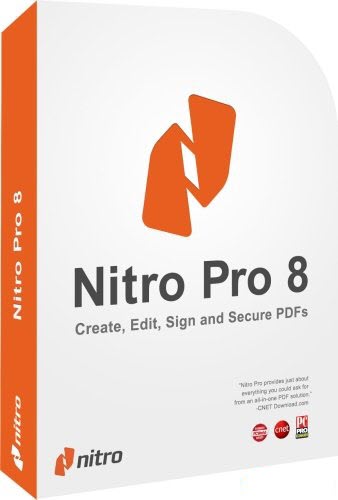
Nitro PDF Professional Enterprise v8.5.2.10 (x86/x64) - FinaL - FULL

- No comments
Nitro PDF Professional Enterprise v8.5.2.10 (x86/x64) - FinaL - FULL


Work more productively, your way, with all the essential tools to create, convert, edit, sign and secure PDF files. 

Nitro Pro 8’s ribbon interface is instantly familiar to Office users. Tasks and tools are grouped intuitively and visually, so users can work with PDF the same way they work with Word documents and Excel spreadsheets. Edit text, images, and pages in PDF files like you would in a word processor. Intelligent tools detect content layout and formatting within documents as you type, automati-cally reflowing text in fully formatted paragraphs. 

Reuse and repurpose entire documents with Nitro Pro 8’s industry leading PDF-to-Word conversion. Accurately recreate editable, fully formatted Excel spreadsheets from tabular PDF tables. Create PDF files from within Microsoft Word, Excel, and PowerPoint with a single click. 

FEATURES: 

• Create + Combine: Nitro Pro 8 lets you quickly and easily create professional-quality PDF documents from any format or content type: paper scans, spreadsheets, presentations, reports, and more. 
* Open, read and edit PDF files from other PDF applications, like Adobe Acrobat and Adobe Reader and other popular solutions. 
* Create from 300+ Formats 
* Combine Files to PDF 
* Print to PDF 
* Microsoft Office Add-ins 
* Preset & Custom Profiles 
* Create from Clipboard 
* PDF/A & Archival 
* Scan to PDF 

• Edit Text + Images: Add, manipulate, replace, and correct text and images in PDF files with intuitive editing tools. Extract and delete individual pages from documents. 
* Edit Text 
* Edit Images 
* Edit Pages 
* Optimize Files 
* Bookmarks & Links 
* Watermarks, Headers & Footers 
* Apply Bates numbering when unique page labeling and identification is required across pages. 

• Convert + Export. Nitro Pro 8 lets you easily reuse and repurpose text, images, or entire documents, with tools to accurately convert and extract PDF files and their content. 
* PDF to Word 
* PDF to Excel 
* PDF to Image 
* Export Text 
* Export Images 
* Batch Export 
* Extract Pages 
* Snapshot + Copy 

• Scan + OCR. Apply Optical Character Recognition (OCR) to image- and paper-based documents and create searchable and/or editable layers of text for digital archival. 
* Searchable Text Layers 
* Editable Text Layers 
* Scan to PDF 
* Multi-language Support 
* Repurpose for Conversion 

• Collaborate + Review. Review and markup PDF files faster with a range of text- and shape-based annotations. Easily involve multiple contributors with tools to track, sort, and manage individual comments. 
* Compatible With Adobe 
* Markup & Review 
* Sort & Manage Comments 
* Stamps 
* Shape & Pencil Markups 
* Attach Files 

• Sign + Certify. Electronically sign and return documents in seconds with QuickSign and streamline certifiable digital signature workflows with one-click, reusable profiles. Certify and approve documents with preset and customizable dynamic stamps that include the time, date, 
• Control + Protect. Control document access and usage with individual user permissions and digital IDs. Protect confidential information using military-grade 256-bit and remove sensitive content with Redaction. 
• Electronic Forms. Create and distribute custom forms to gather information that are as intuitive as their paper counterparts – but much more efficient – and easily fill, submit, and save PDF forms 

What’s new in version 8: 
Nitro Pro 8 is faster, more robust, and even easier to use, with improved support for business environments. These are just some of the highlights: 
* File auto-save and recovery 
* Scanned document detection 
* Autonomy WorkSite integration 
* Smart Alignment for Type Text 
* Enhanced PDF-to-Excel conversion 

System Requirements 
• Desktops: Windows XP, Windows Vista, Windows® 7 (x64 editions supported), Windows 8 
• Servers: Windows Server 2003, Windows Server 2008, Windows Server 2008 R2 
• Processor: 1 gigahertz (GHz) or faster 
• RAM: 512 MB system memory (1 GB recommended) 

Nitro Pro is available in English, Dutch, French, German, Italian, and 
Spanish languages. 

Nitro Pro v8.5.2.10 
Resolved Issues 
1. Unable to Purchase Nitro Pro when entering details using European keyboards 
2. PDF to Excel improvements made to table detection and conversion 
3. Office Addin's may fail to install on some Windows 8 computers 
4. General Security and Stability improvement .


Recuva Professional v1.43.623 Portable

- 1 comment
Recuva Professional v1.43.623 Portable


Recuva - program to recover deleted files. 

Recuva can quickly scan the selected hard drive partition to find deleted files, displaying all the files in a list or directory tree. 

In the list view shows the status of a remote file, which makes it possible to estimate the probability of full recovery. 

This utility is useful not only to recover lost files from your hard disk, but can help to restore deleted files, digital cameras and MP3-players. 

There is the possibility of finding a particular remote file by its name. 


Some of the features: 

- Recover deleted files - Working with file systems, FAT32 and NTFS 

- Very fast scans disk partitions 

- Shows the status of a deleted file to assess the likelihood of full recovery 

- Work from connected devices such as USB Flash, MP3-player and digital photo cameras 

- Ability to search for a specific remote file - Stylish, simple and intuitive user interface 

- Multilingual support, 

Windows 2000 / XP / 2003 / Vista / Windows7 / XP64 / Vista64 / Windows7 64 

Release notes 

v1.43.623 (12 Jul 2012) 

- Added recovery of Alternate Data Streams. 
- Improved support for files larger than 4GB. 
- Filters are now applied dynamically with significant improvement in memory usage. 
- Filters added to "Save as file list" feature. 
- NTFS permissions are now reported correctly. 
- Improved reporting for failed zero byte files. 
- Improved accuracy of recovery potential for JPEGs. 
- Improved handling of free space during recovery. 
- Improved support for multiple monitors. 
- Minor GUI improvements. 


Saturday, March 23, 2013

WebFreer 1.0.3.001 (BYPASS BLOCK WEBSITES)

- No comments
WebFreer 1.0.3.001 (BYPASS BLOCK WEBSITES)


Web Freer is a web browser that let you visit any web site fast, securely, and privately. If you are in a open network with little or no protection of privacy or security, Web Freer is the browser you must have. Save the hassle of configuring your computer to a remote secure server or a VPN tunnel, simply download Web Freer browser, type in any website in the address bar, you will get there with high security through its HTTPS connection.

* More online privacy

* More protection of personal identity

                                                                                                          
* Access any web site,                                          

* Go everywhere on internet,

* Web is more secured with Web Freer!

HOW TO INSTALL?


1. Download the file
2. Install
3. Open the Web Freer Application and browse everything over the internet.

This application is like Google Chrome, Fast and Safe Browser.


Tuesday, March 19, 2013

Create a New Partition on a Windows 7 Hard Disk

- 2 comments
Create a New Partition on a Windows 7 Hard Disk


The Windows 7 Disk Management tool provides a simple interface for managing partitions and volumes.


Right click "My Computer" and Select "Manage"

In the left pane under "Storage" select "Disk Management"

Now u will get the system whole partition detail in a pane below.

Blue represents the Primary Partition i.e OS drive

The Unallocated space in ur hard disk will be shown black color

Right click the unallocated space and select " New Simple Volume" option

Now follow the steps and allocate the amount of space that u want.


Here’s an easy way to create a new partition on your disk.
1. Open the Disk Management console by typing diskmgmt.msc at an elevated command prompt. 


2.  In Disk Management’s Graphical view, right-click an unallocated or free area, and then click New Simple Volume. This starts the New Simple Volume Wizard. (Note: If you need to create unallocated space, see the Tip Easily Shrink a Volume on a Windows 7 Disk for information on how to do this.) 


3.  Read the Welcome page and then click Next.

4.  The Specify Volume Size page specifies the minimum and maximum size for the volume in megabytes and lets you size the volume within these limits. Size the partition in megabytes using the Simple Volume Size field and then click Next.


5.   On the Assign Drive Letter Or Path page, specify whether you want to assign a drive letter or path and then click Next. The available options are as follows: 


Assign The Following Drive Letter Select an available drive letter in the selection list provided. By default, Windows 7 selects the lowest available drive letter and excludes reserved drive letters as well as those assigned to local disks or network drives. 
Mount In The Following Empty NTFS Folder Choose this option to mount the partition in an empty NTFS folder. You must then type the path to an existing folder or click Browse to search for or create a folder to use. 
Do Not Assign A Drive Letter Or Drive Path Choose this option if you want to create the partition without assigning a drive letter or path. Later, if you want the partition to be available for storage, you can assign a drive letter or path at that time. 


6.     Use the Format Partition page to determine whether and how the volume should be formatted. If you want to format the volume, choose Format This Volume With The Following Settings, and then configure the following options: 


File System Sets the file system type as FAT, FAT32, or NTFS. NTFS is selected by default in most cases. If you create a file system as FAT or FAT32, you can later convert it to NTFS by using the Convert utility. You can’t, however, convert NTFS partitions to FAT or FAT32. 

Allocation Unit Size Sets the cluster size for the file system. This is the basic unit in which disk space is allocated. The default allocation unit size is based on the size of the volume and, by default, is set dynamically prior to formatting. To override this feature, you can set the allocation unit size to a specific value. If you use many small files, you might want to use a smaller cluster size, such as 512 or 1,024 bytes. With these settings, small files use less disk space. 

Volume Label Sets a text label for the partition. This label is the partition’s volume name and by default is set to New Volume. You can change the volume label at any time by right-clicking the volume in Windows Explorer, choosing Properties, and typing a new value in the Label field provided on the General tab. 

Perform A Quick Format Tells Windows 7 to format without checking the partition for errors. With large partitions, this option can save you a few minutes. However, it’s usually better to check for errors, which enables Disk Management to mark bad sectors on the disk and lock them out. 

Enable File And Folder Compression Turns on compression for the disk. Built-in compression is available only for NTFS. Under NTFS, compression is transparent to users and compressed files can be accessed just like regular files. If you select this option, files and directories on this drive are compressed automatically. 

7.   Click Next, confirm your options, and then click Finish. 


The Windows 7 Disk Management tool will now show the space configured as a new partition.


Monday, March 18, 2013

Adobe Photoshop CS5 PORTABLE 1 Link

- No comments
Adobe Photoshop CS5 PORTABLE 1 Link


Info:

Adobe Photoshop, or simply Photoshop, is a graphics editing program developed and published by Adobe Systems This is a portable version of CS5, no need for long installations , nice and simple, good for usb sticks too. +Multilingual.


Password : Rememberit


Sunday, March 17, 2013

Probability and Statistics

- No comments

Probability and Statistics


This book gives you
Practice problems with full explanations that reinforce knowledge
Coverage of the most up-to-date developments in your course field
In-depth review of practices and applications

DOWNLOAD

Elementary Linear Algebra Applications Version - 10th Edition

- No comments

Elementary Linear Algebra
Applications Version - 10th Edition


When it comes to learning linear algebra, engineers trust Anton. The tenth edition presents the key concepts and topics along with engaging and contemporary applications. The chapters have been reorganized to bring up some of the more abstract topics and make the material more accessible. More theoretical exercises at all levels of difficulty are integrated throughout the pages, including true/false questions that address conceptual ideas. New marginal notes provide a fuller explanation when new methods and complex logical steps are included in proofs. Small-scale applications also show how concepts are applied to help engineers develop their mathematical reasoning.

DOWNLOAD

Monday, February 25, 2013

4.8-inch iPhone 6 arriving in Summer 2014 !!!!

- 1 comment
4.8-inch iPhone 6 arriving in Summer 2014 !!!!

Peter Misek, that well-known analyst from Jeffries is back with more news on the iPhone front.  He tells us that the new iPhone 5S will be launched sometime in the summer as it will be going to  manufacturing in March.  He also tells us that there’s a strong possibility of a big Apple event in March, mainly to unveil a brand new SDK – software development kit for those that don’t know. This will enable all you programmers and developers to write apps and games for 1080p displays on the Apple TV set-top box.


And now he tells us that the 4.8” iPhone 6 will not be released until 2014. He first announced that this phone was being worked on in December last year and that it would be released this year. This was followed up by a report from DigiTimes that it would be next year before we saw it and that now seems to be the case. Misek based his original report on sights of a few prototypes for the iPhone 6, one of which had the larger screen.

There could be one more reason for the delay though; it has been alleged that Apple want the A7 package on the 20-nanometer process from TSMC (Taiwan Semiconductor Manufacturing Company) but it appears that this won’t be available before 2014. It’s yet another case of wait and see but speculate all you like in the meantime.


Thursday, January 24, 2013

Make Money Blogging by Monetizing Your Blog

- 1 comment

Make Money Blogging by Monetizing Your Blog

Want to make money while you just sit back and watch the dollars roll in? Well, maybe it's not that easy But it can sure feel like it when you learn how to monetize your blog.


This is a great money making strategy for anyone who hates the idea of selling a product, or worse selling themselves through events like Tupperware and Avon parties. Now, if you sell Tupperware or Avon, don't send me hate mail just yet. It's a simple fact that some of us aren't very social and do better hanging out behind a computer screen.

I'm a homebody, so sitting at home and working on a computer each day suits me just fine. But the absolute best part about monetizing your site is that you get to work at your own pace and set your own schedule.

Monetize Your Blog with PPC - Pay Per Click


     PPC advertising is the absolute simplest way to monetize your site or blog. There are many PPC companies you can sign up with for free. Here's how PPC works:

People buy advertising with a PPC company, like Google's AdSense. The PPC company then lets webmasters and bloggers sign up for free accounts. The site owners get to choose the format for the PPC ads. The PPC company generates ad code. The site owner places the code on their site and within a short amount of time the ads appear. Any time a visitor clicks on one of the ads, the advertiser pays the PPC company and the PPC then gives the site owner a portion of the profit.

The great thing about PPC advertising is all you need to worry about is having a good quality site and work on generating traffic. If your site is good and has steady traffic, you will make money on autopilot. You can check your PPC account daily to watch your profits grow.

If you inform yourself about the different PPC companies that are available out there and read their TOS closely, you will learn which networks compliment one another. For example, you can run Infolinks or Kontera inline text in conjunction with Adsense in order to increase your blog's profits.                                                                                  


Learn How to Make Money Blogging

You can start blogging for money


Create a stream of passive income with your own blog. Blogging for money is something anyone can do. You simply need to learn the process for monetizing your blog, how to get search engine traffic, and how to promote your blog. The truth is, however, that getting started can be hard when you don't know what you're doing. That's why most people give up before they're blog has a chance to take off. That's why I really like this Blogger's Roadmap ebook. It's an inexpensive ebook and available for imediate downoad, but the best part is that it is full of the basic information necessary to start earning with your blog.

Blogging can be a very profitable home business. People are making money blogging about everything from being a mommy to sharing useful product reviews for expensive electronics. This ebook will show you how to make money blogging about anything that you are interested in or have knowledge about.


Google's AdSense

The Good, the Bad, and the Ugly Facts About AdSense

The Good About Adsense:
I first became aware of AdSense while watching a story on Good Morning America about two retirees who were making money by implementing Google's AdSense program on their personal websites.

I have limited website creation knowledge, but I thought to myself, "If they can teach themselves how to build a website and earn income, so can I." So, immediately after seeing the story on Good Morning America I began doing some research online about Google's AdSense program. I discovered that it is a legitimate way to earn money with absolutely no money out of your pocket, aside from web hosting fees. It's hard to be skeptical when talking about a company as trustworthy as Google.

You can start earning money from home with AdSense. The only thing you need is a website. If you have one, great! If not, create one about a topic that interests you. You will also need to find a web host to publish your site. There are many to choose from, Yahoo, Google, and GoDaddy are the most familiar to people who are novices.

After you have a website, go to Google and create an AdSense account. Then read all of Google's tips, helps, and view their demos about how to insert the Google ads into your website. It's just that easy. You will discover that you have to copy and paste some html code into your site, but don't let this discourage you. Be patient, read and reread Google's walkthroughs and it will all start to make sense to you.

You may be wondering what's the catch. That's the beauty of this whole thing. There is no catch! The guys at Google are geniuses. What they do is get business owners to pay them to run ads through the AdSense program. The advertisers pay Google every time their ads work, in other words every time someone clicks on one of their ads. In turn, Google will give you a portion of those profits each time someone clicks on an ad from your site.

The best part about the whole program is that the ads will match the content to your site. For example, if your site is about camping, then the ads that Google will put on your site will be for camping equipment and other related products or services. All you have to do is copy and paste in the html and Google does the rest.

Part of your agreement with Google is that you will not click on your own ads, that you will not encourage others to click your ads, and that you will not have illegal or inappropriate content on your website.

You can check your AdSense account any time you want to see how much money is in it. After it reaches $100, Google will mail you a check! That's it!

Danger, Will Robinson!
Now for the bad and ugly side to Adsense...Google is very quick to disable, without any warning, any account that they feel violates their policies. In fact, my account was disabled after just 3 weeks for unknown reasons. From my own experience, and what I've read in the forums, this happens quite often to innocent victims of spam clicking. Spam clicking is when someone maliciously repeatedly clicks one of your ads in hopes that your account gets banned. This is a real threat, if it happened to me it can happen to anyone.

Per Google's TOS (terms of service) agreement, if you notice any unusual activity you are to report it to Google ASAP. I noticed one day that my page got 124 views and 100 clicks. That is an unusually high click rate. I reported it and never hear back from Google. A week later I got this email from Google:
While going through our records recently, we found that your AdSense
account has posed a significant risk to our AdWords advertisers. Since
keeping your account in our publisher network may financially damage
our advertisers in the future, we've decided to disable your account.

Please understand that we consider this a necessary step to protect the
interests of both our advertisers and our other AdSense publishers. We
realize the inconvenience this may cause you, and we thank you in
advance for your understanding and cooperation.

If you have any questions about your account or the actions we've
taken, please do not reply to this email. You can find more information
by visiting
https://www.google.com/adsense/support/
Sincerely,

The Google AdSense Team

Needless to say, I appealed the decision. In less than a day my appeal was declined. So, use AdSense at your own risk. Many people use it successfully, but many also have an experience like mine.

AdSense seems to pay better than other PPC companies. However, they don't pay better per click than the other companies. The reason why AdSense pays better is their ads better match your site's content than any other PPC. AdSense is HUGE. They have more advertisers to choose from than any other PPC company. This means they are more likely to place ads on your site that people will actually want to click.

AdSense Alternatives

You Don't Have to be Stuck with Google...You Have Options


Most people posting on the internet tend to agree that Google's AdSense program has the best pay out of any of the PPC advertising companies. But, Google has an extensive list of policies and TOS. More and more, the internet is getting flooded with people who say their AdSense accounts were canceled for no known reason. If you have lost your AdSense account, or don't want to deal with their complicated policies, an AdSense alternative may be right for you.

Perhaps one of the best alternatives to AdSense is AdBrite. They offer a variety of ad styles, just as AdSense does, but they also offer inline text ads. With inline text ads, the ad code you place on the site chooses random keywords throughout your site and highlights them. When a user mouses over these highlighted words, a thought bubble pops up with a little blurb about the keyword and the site the word points to. If a user finds the blurb interesting, they click it and get redirected to the advertisers site and you, the site owner gets paid for the click.

There are two great features to inline text ads. First, inline text ads blend in very well with your site. They aren't ugly or obnoxious like banner ads can be. Second, Google's AdSense does not offer inline text ads. This means you can place Google ads on your site while also placing inline text ads by AdBrite and not be breaking your user agreement with Google. This gives you the opportunity to earn even more from your site!